


















Free SEO and Rich Results Test
Enter a page URL. We check title, description, H1, canonical, hreflang, speed and structured data in seconds and list what is missing against Google's rich result rules. No sign-up, unlimited use.
What are rich results and why do they matter?
Google results have not been just a blue title and two lines of text for years. A product's price and stock, a recipe's cooking time, a business's rating and opening hours, an article's author and date all appear right in the listing. These extras are called rich results. They do not change your ranking; they change your click-through rate: of two results in the same position, the one that visibly shows more information gets noticeably more clicks.
The source of a rich result is the structured data inside the page: a block of code that tells machines what the page is, written with the schema.org vocabulary in JSON-LD format. Google reads it, compares it with the visible content and, if it fits, builds a rich result. Without it Google has to guess the page type and usually settles for a plain link.
What does this tool check?
The tool fetches your page live from our server with a request similar to Googlebot's and runs two groups of checks.
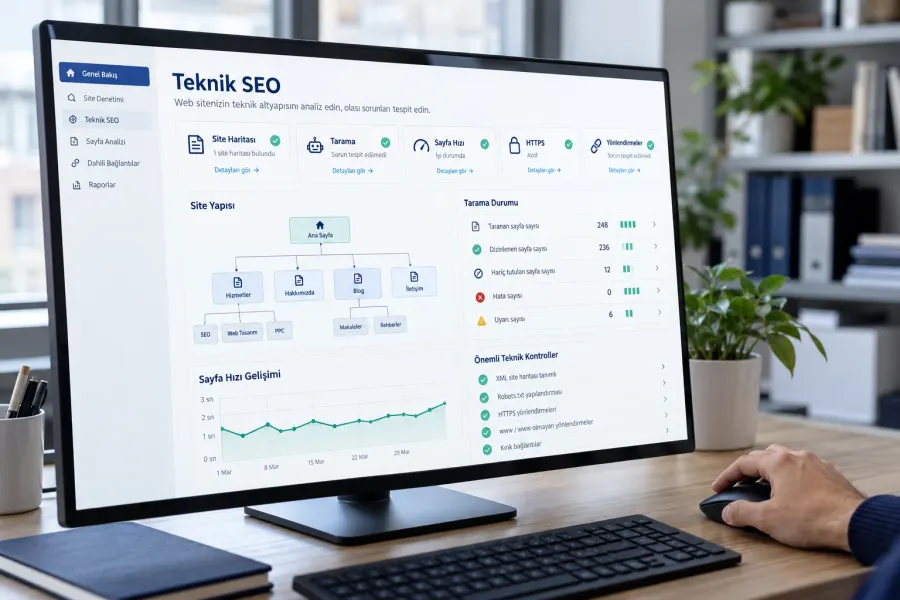
- Structured data and rich result eligibility: every JSON-LD node on the page is read separately. For the types Google turns into rich results (Product, Article, LocalBusiness, Organization, BreadcrumbList, FAQPage, VideoObject, Event, Recipe, JobPosting, Course, SoftwareApplication, Review and others) it names each missing required field. Valid types without a visual counterpart (WebSite, Service, Person) are not flagged as errors; they are listed as information. Broken JSON blocks and non-schema.org @context values are reported separately.
- On-page and technical SEO: HTTP status, HTTPS, redirect hops, server response time, HTML size and compression, character set, page language, title and description lengths, robots and canonical, mobile viewport, H1 and H2 structure, image alt text, internal and external link counts, text length, hreflang and x-default, Open Graph and Twitter card, favicon.
The score is out of 100: issues that block indexing (non-200 response, noindex, missing title, no viewport) cost a lot, improvement hints cost little. The score is not a ranking prediction; it shows how technically ready the page is.
How to add structured data to a page
- Decide the page type. A product page is Product, a service page is Service, a business page is LocalBusiness or a subtype (Dentist, Restaurant, RealEstateAgent), a post is Article or BlogPosting, an event is Event. Add only the type that matches the content; marking up invisible content is a violation that earns a manual action from Google.
- Write the JSON-LD block. It goes in the head or body inside a script type="application/ld+json" tag. The cleanest approach is one @graph holding Organization, WebSite, BreadcrumbList and the page type together. Take the required fields from Google's structured data documentation; when copying a template, replace the sample values with real ones.
- Test and publish. Check with this tool first, then with Google's Rich Results Test. Once live, request indexing in Search Console; on small sites it takes days to weeks for rich results to show.
- Watch Search Console. The Enhancements section shows valid, warning and error page counts per schema type. Sudden drops after a template change point to broken markup.
Valid code does not guarantee a rich result
Even flawless JSON-LD does not guarantee that Google will show a rich result. Google looks at three things: the site's trust (new sites with few links usually wait), whether the markup matches the visible content, and the searcher's intent. Some types were also narrowed: FAQ results have been limited to well-known government and health sites since August 2023, and HowTo results were removed entirely in September 2023. This tool flags those cases so you do not waste effort.
The 5 gaps we see most often
- No structured data at all, or only an empty WebSite node left by a theme plugin.
- Product schema without offers; the price is on the page but invisible to Google.
- The same title and description on every page; canonical pointing to the home page.
- Multilingual site with hreflang but no x-default, or languages not referencing each other.
- Images without alt text, no Open Graph image; links shared on WhatsApp show an empty preview.
All of these are fixed in a day of technical work and verified with this tool. Test your page above; packages matching the gaps appear below the result.
Frequently asked questions about rich results
What is a rich result?
Does this test replace Google's official tool?
My structured data is valid but Google shows no rich result. Why?
Which schema types are tested?
How fresh are the results?
What if I cannot fix the issues myself?
Let us fix the gaps in your result at an affordable price
Technical SEO setup, speed, hreflang and structured data work come with a written scope; when done, we rerun this same test together.