Simple Mobile App (MVP)
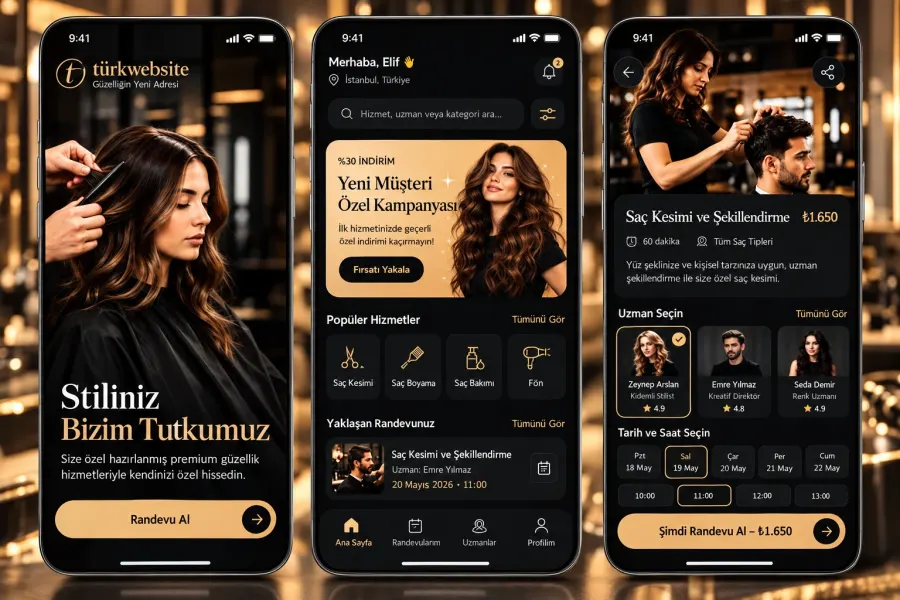
The smallest working version of your idea: 4 to 6 screens, one core function, published to the stores.
from $1,899
 Corporate Website9 products · from $289
 One-Page and Landing Page8 products · from $59
 Personal and Portfolio Website7 products · from $119
 Starter E-Commerce Website$849
 Professional E-Commerce Website$1,299
 Advanced E-Commerce Website$2,799
 Corporate Site Redesign7 products · from $199
 Speed and Mobile Optimisation7 products · from $79
 Online Store Redesign7 products · from $229
 Chatbots7 products · from $249
 Process Automation9 products · from $199
 Data Collection Bots7 products · from $119
 Payment and Shipping Integration8 products · from $149
 Messaging and CRM Integration8 products · from $79
 E-Commerce and System Integration9 products · from $119
 Maintenance Packages8 products · from $39
 Setup and Migration9 products · from $39
 Technical Check7 products · from $59
Mobile App Development · Delivery: 3 weeks

An installable web app (PWA) runs in the browser but can be added to the home screen with its own icon. We set up add to home screen, core pages that open offline, push notifications in supporting browsers and fast loading. It is for businesses that want a place on their customers' phones without the app store process. The limitations on iOS are explained openly before the work starts.
A PWA is a web app that runs in the browser but can be installed on the phone's home screen with its own icon. The decision to build a PWA usually comes from this need: you want an icon on your customer's phone and fast loading, but without the store process and the cost of two separate apps. In this package we turn your web app into one that can be installed, opens its core pages offline and can send notifications.
On Android, Chrome can show the install prompt itself. On iPhone there is no such prompt; the user adds the app to the home screen from the browser's share menu. On iOS, push notifications only work after the app has been added to the home screen and on current iOS versions. Background data sync and some hardware features such as Bluetooth and NFC are not open to web apps on iOS. We go through these limits one by one with you, based on your scenario, before the work starts.
A PWA does not need an app store, and an update you make reaches users without waiting for a store review. On the other hand, it does not appear in App Store and Google Play searches; users reach you through your own address. If being in the store is a must and you have a mobile-friendly site, Website to Mobile App Conversion is a better fit; if you need heavy access to device hardware or background operation, Simple Mobile App (MVP) is more suitable.
The app must be served over HTTPS and be mobile friendly. We choose the pages that will open offline together; screens that show the cart, payments and live data need a connection. A high-resolution version of your logo is enough for the icon set.
The price depends on whether the PWA is built on top of your existing site or the screens are prepared again, the number of pages that will open offline and the notification scenarios. Standard scope is delivered in 3 weeks. Tell us what you expect and ask for a written quote based on the scope.
The smallest working version of your idea: 4 to 6 screens, one core function, published to the stores.
A mid-size app ready for daily use: 10 to 15 screens, payments, notifications and accounts.
A comprehensive iOS and Android app with multiple user types, real-time data and payments.
We submit your finished app to the App Store and Google Play and follow the process until review ends.
We keep your live app compatible with new versions, fix bugs and send a report every month.
We turn your mobile-friendly site into an iOS and Android app by adding a bottom menu and notifications.
Your customer picks the service, staff and time on their phone; you manage the calendar from one panel.
We build an iOS and Android app with cart and payment, connected to your existing store through its API.
The first call is free. If you have a domain or an existing site, send us the link; we reply within 1 business day.