PKW-05
Portfolio and Personal Website
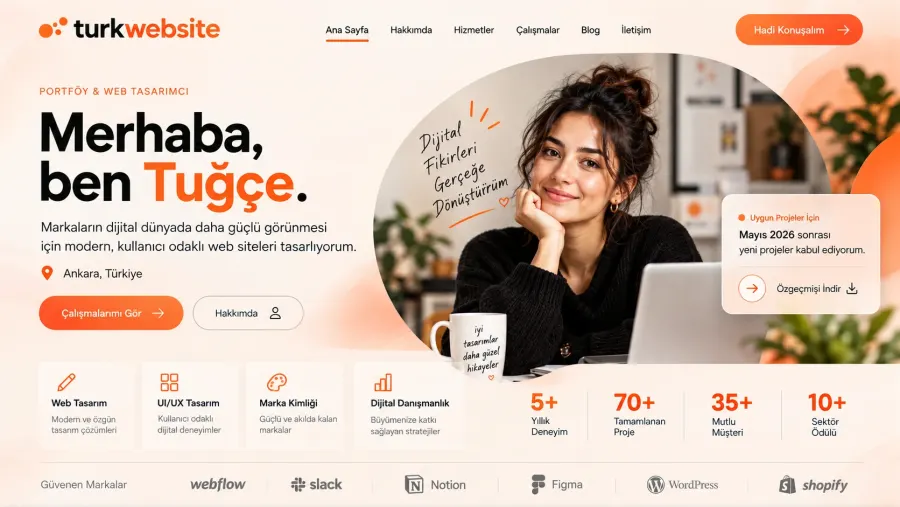
A personal site that showcases your work: gallery, resume and contact at one address.
from $249
 Corporate Website9 products · from $289
 One-Page and Landing Page8 products · from $59
 Personal and Portfolio Website7 products · from $119
 Starter E-Commerce Website$849
 Professional E-Commerce Website$1,299
 Advanced E-Commerce Website$2,799
 Corporate Site Redesign7 products · from $199
 Speed and Mobile Optimisation7 products · from $79
 Online Store Redesign7 products · from $229
 Chatbots7 products · from $249
 Process Automation9 products · from $199
 Data Collection Bots7 products · from $119
 Payment and Shipping Integration8 products · from $149
 Messaging and CRM Integration8 products · from $79
 E-Commerce and System Integration9 products · from $119
 Maintenance Packages8 products · from $39
 Setup and Migration9 products · from $39
 Technical Check7 products · from $59
Personal and Portfolio Website · Delivery: 4 business days

The personal blog website is a blog-focused site set up so you can publish your writing at your own address and in your own layout. It has a home page, a post list, category and tag pages, and about and contact pages. We show you how to add posts from the panel hands-on and place your first 3 posts ourselves. RSS and basic SEO settings come ready, and hosting is free.
When you share your writing on social media or on ready-made blog services, the address, the layout and the archive stay bound by that service's rules. Setting up a personal blog website means giving your writing an address of its own and a tidy archive. In this package we set up a blog-focused site, teach you how to add posts and deliver the site already filled by placing your first 3 posts.
Categories are the main shelves of the blog; there should be few of them and they should last. Tags mark the narrower topics a post touches on. We first ask you about the subjects you plan to write on and suggest a structure of a few categories. Choosing tags that you will reuse, instead of opening many new tags for every post, makes it easier for readers to move on to similar posts.
At delivery we open the panel together with you and show you how to add a post from start to finish: opening a new post, using headings and subheadings, placing images, choosing the category and tags, and publishing. You send the text and images of the first 3 posts and we place them; that gives you a layout to follow for your later posts. Writing the posts and entering posts from the fourth onward are not included in the package.
RSS is the feed that lets readers follow your blog from news reader apps; every post you publish is added to the feed automatically. Basic SEO covers page titles, descriptions, a readable address structure and a sitemap. These settings help search engines read your posts correctly; the content of the posts decides in what order they appear, and no promise is made about that.
Delivery of the package takes 4 business days. If you want a newsletter, memberships, a second language or the migration of posts from an old blog, the scope grows and a written quote is prepared. If you do not plan to write regularly and only want to show your work, the Portfolio and Personal Website is the better choice.
A personal site that showcases your work: gallery, resume and contact at one address.
Your experience, education and projects on one page with your name, plus a PDF resume download button.
Your books with buy links, signing events and a newsletter form on a single site.
Your work in series galleries with artwork details; we upload the first 30 images for you.
Gig calendar, Spotify and YouTube embeds, press kit and a booking request form on one site.
Describes your programs and collects session requests through a form or calendar link.
The first call is free. If you have a domain or an existing site, send us the link; we reply within 1 business day.