How Long Does It Take to Crack Your Password? Behind the Screen of a Strong Password
Of two passwords of the same length, one can last 132 years and the other a few seconds. Behind the Screen episode 3: how sites store passwords, the password tables, NIST's new rules and four steps to a strong password.
You type it dozens of times a day: on your phone's lock screen, in your email, at your bank. But if that password fell into the wrong hands, how long would it hold out? The answer has two surprising extremes: of two passwords of the same length, one can last more than a century while the other falls in a few seconds. What makes the difference is not the power of a graphics card but how you chose the password.
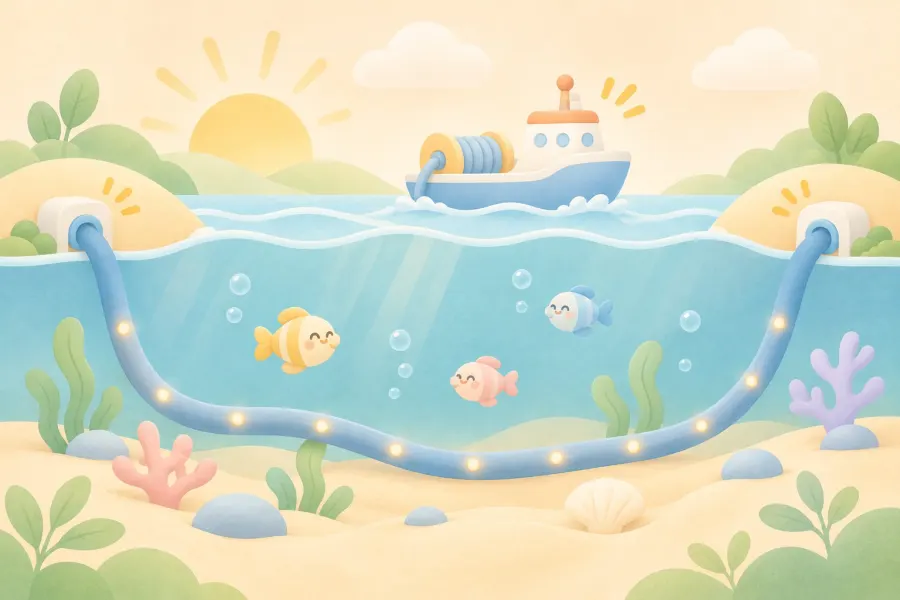
This article is the written version of the third episode of Behind the Screen (Ekranın Arkası), a series on our YouTube channel. In the previous episode we followed data across the ocean floor; this time we look at the door at the end of that route: your password. We look at it from the defender's side: the aim is not to teach password cracking but to show why and how to make your password stronger.
In short:
- A well-built site does not store your password but a "fingerprint" derived from it. The danger starts when those records are stolen.
- According to Hive Systems' 2026 table, a randomly generated 8-character mixed password holds out for about 132 years, while 8 lowercase letters last about two weeks.
- But those times apply only to random passwords. Predictable, common or previously leaked passwords can fall instantly.
- The US standards body NIST now puts length first: at least 15 characters for a password used on its own, and no forced "upper case, number, symbol" rules or scheduled changes.
How does a site store your password?
When you sign up, a well-built system does not save your password as it is. It runs it through a one-way process and stores the resulting jumble. This is called a hash; think of it as your password's fingerprint. Just as you cannot recreate a person from a fingerprint, the password cannot be worked back out of the hash. When you log in, the site computes the hash of what you typed again and compares it with the stored one.
So where is the danger? If a site is breached and these hashes are stolen, the attacker can start trying them on their own computer without touching the site at all: computing hashes of candidate passwords and checking for a match. The site's "lock the account after three wrong attempts" protection does nothing here, because the attempts happen on the attacker's machine, not on the site. The question of how many seconds your password lasts is asked about exactly this situation.


How fast can your password be cracked?
US cybersecurity firm Hive Systems answers this question every year with a table. The 2026 table assumes 16 RTX 5090 graphics cards attacking a hash stored with the widely used bcrypt method (cost setting 10). Two examples from the table show the difference well:
Random 8 characters, lowercase only: about 2 weeks
Random 8 characters, upper and lower case, numbers and symbols: about 132 years
Two passwords of the same length: one lasts two weeks, the other 132 years. The reason is the number of possibilities: the more characters available at each position, and the more positions there are, the faster the number of combinations to try grows. Length is the strongest lever; adding one more character often gains more than adding another character type.
What the table hides
This table shows the most optimistic case, and Hive Systems says so plainly: the times assume the password was randomly generated, has never appeared in a breach and that two-step verification is not in use. People are not random. Before trying from scratch, attackers try common and previously leaked passwords. In the same article, Hive describes a predictable password that also contained symbols being found in about three seconds with a single RTX 5090.
So a password like "London2012!" that looks mixed but follows a pattern never gets anywhere near the 132 years in the table. Birthdays, team names, cities, words ending in "123" and keys next to each other on the keyboard are among the first things tried.

What makes a strong password? NIST's new rules
The US National Institute of Standards and Technology (NIST) simplified its password rules in the new version of its authentication guideline (SP 800-63B-4), released in July 2025. The rules are written for sites, but they are a good roadmap for you too:
- Length first: a password used on its own should be at least 15 characters. For a password that is part of two-step verification, the minimum is 8. Sites should allow passwords of at least 64 characters.
- No forced character types: the guideline asks sites not to require rules such as "at least one capital, one number, one symbol". A long sentence is often stronger than a short, mixed word.
- No scheduled changes: sites should not force "change your password every 90 days"; a change should be required only when there is evidence the password has been compromised.
- Block leaked and common passwords: sites should check new passwords against a list of previously leaked and commonly used passwords.
- Allow password managers: sites should allow password managers and autofill and should not block pasting.
- No hints or security questions: questions like "your first pet's name?" should not be required when choosing a password.
Four things you can do today
- Go long and random: a sentence of four or five unrelated words is both long and memorable. Do not use information about yourself (birth year, city, team).
- A separate password for every account: a password leaked from one site opens every account where you reused it. That is hard to manage by hand; a password manager generates and stores a long, random password for each account.
- Check whether it has leaked: Have I Been Pwned's Pwned Passwords service tells you whether a password has been seen in breaches. It does not send the password itself: the password is hashed on your device, only the first 5 characters of the hash are sent, and the comparison happens on your side.
- Add a second lock: turn on two-step verification for email, banking and social media. Even if the password is stolen, the account cannot be opened without the second step. Where supported, use a passkey: according to the FIDO Alliance, passkeys are designed to be resistant to phishing (fake login pages).
For site owners: if your site has user accounts, store passwords with a slow, salted method such as bcrypt, allow passwords of at least 15 characters, block leaked passwords and turn on two-step verification for administrators. Never store users' passwords in plain text or send them by email.
Conclusion: unpredictability, not speed
Graphics cards get faster every year and the tables shrink a little each time. But the real difference comes from choice, not hardware: a long, random password can last centuries against today's hardware, while a predictable one can fall in seconds. Go long, use a different one everywhere, leave it to a password manager and turn on the second lock.
Sources and related pages
- Hive Systems: the 2026 password table (16 x RTX 5090, bcrypt cost 10; assumptions in the article)
- NIST SP 800-63B-4: Section 3.1.1, password rules
- Have I Been Pwned: Pwned Passwords
- FIDO Alliance: Passkeys
- Behind the Screen episode 2: undersea internet cables
- TurkWebSite on YouTube: the Behind the Screen videos (in Turkish).
Keep your site secure too
A free SSL certificate is included with every site TurkWebsite builds. Affordable web design, free hosting.