








Paid Email Finder Tools: What They Do and When They Become Risky
We look at the email scraping programs that courses sell as "paid but easy", B2B tools such as Hunter, Apollo and Snov.io, and email verification: what each one is for, where the risk starts in Turkey, and where your budget is better spent.
In the previous part we explained why collecting addresses from the internet for free doesn't work. The next lesson in the same courses usually starts with this sentence: "Doing this by hand takes a lot of time, but there is a paid and easy way." Then a program sold for a one-time fee is shown; you leave your computer on overnight, and in the morning thousands of email addresses are waiting for you.
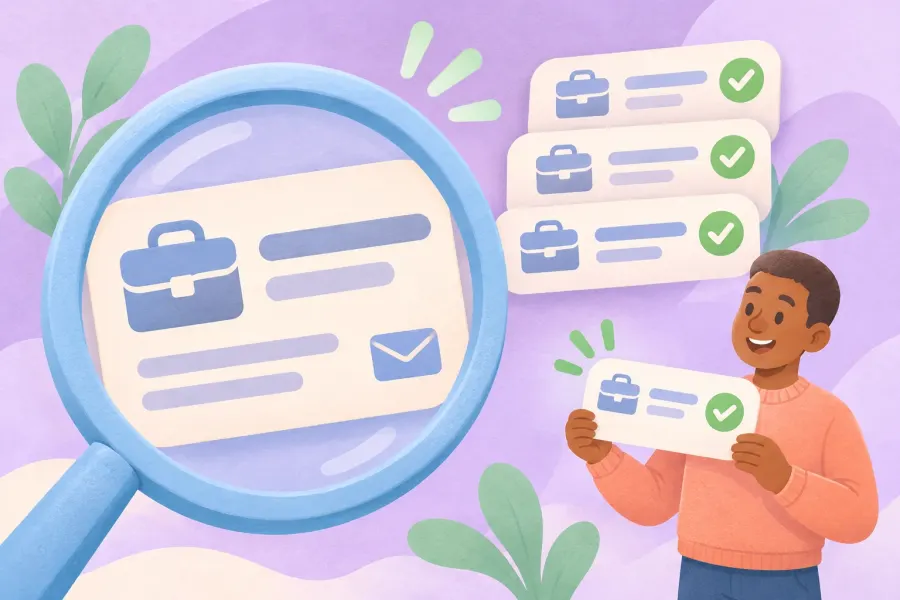
The promise sounds tempting. And there are paid tools on the market that really do their job: services such as Hunter, Apollo and Snov.io are used by thousands of sales teams every day. So what's the difference between email finder tools? Which one is useful for what, and which one leads you into a legal and technical dead end?
In this guide we first show how the scraping programs taught in courses work and why they no longer hold up today. Then we cover legitimate B2B tools, email verification and the rules to keep in mind when emailing companies in Turkey. Finally, if you are going to set aside a budget for this, we work out with examples where the money is better spent.
This article is the third part of our Making Money Online and Email Marketing Guide series. In part one we covered the basics of email marketing, and in part two how to build an opt-in email list from scratch.
In short:
- The paid scraping programs taught in courses use Google's custom search engine to scan social networks for "topic + email provider + country" combinations and collect the addresses they find.
- The Google Custom Search JSON API these programs rely on is closed to new customers, and it ends for existing users on 1 January 2027.
- B2B tools such as Hunter, Apollo and Snov.io find and verify work email addresses. They are designed for writing to companies one by one, personally and on topic, not for building a bulk newsletter list.
- A work email that carries a person's name is personal data. Turkey's data protection authority fined a company that sent an ad to a work email found through a search engine.
- If you have a budget, spend it not on buying addresses but on bringing visitors to your signup page, and measure your cost per subscriber.
What's in this guide?
- What do paid email finder programs promise?
- Why Google's custom search engine is no longer reliable for this
- The risks of bulk address scraping programs
- Legitimate paid tools: Hunter, Apollo and Snov.io
- When do B2B email finders help, and when don't they?
- Emailing companies in Turkey: the merchant exception and KVKK
- What is email verification?
- If you have a budget, where should the money go?
- How to write a first email to a company
- Common mistakes
- Conclusion and the next part of the series
What do paid email finder programs promise?
The programs shown in courses are usually desktop software sold for a low, one-time fee. Their promise is simple: type in what topic and whom you want to reach, and the program finds relevant email addresses on the internet and exports them to a file. In the English-language course this series is based on, the recommended program was called SerpDigger and was pitched with a "lifetime use" promise.
How do these programs work?
- A custom search engine is set up. With Google's Programmable Search Engine (formerly Custom Search), you create a personal search engine that scans only certain sites, for example X and Reddit.
- A keyword list is prepared. The niche keyword ("vegan" in the course), email providers (Gmail, Hotmail, Yahoo) and country names are entered into the program. Some users also add common first names to the list.
- The program tries combinations. It runs a search for every possibility, such as "vegan + gmail + America" or "vegan + hotmail + America", and extracts the email addresses from the result pages.
- It runs all night. In the course the program is left running overnight and produces "thousands of results" by morning.
- The file is downloaded. Unique addresses are exported to a spreadsheet and kept for direct use in a campaign.
The course also claims that with this method you "won't be flagged by Google" and that nobody will mind. Neither claim holds today: the infrastructure is shutting down, and there is no reason for people whose addresses were collected without their knowledge not to mind.
Does the program from the course still exist?
The domain of the program recommended in the course now redirects to the site of a different browser extension. Programs that do similar work are still sold under different names, but they all rely on the same infrastructure, and that infrastructure is shutting down.



Why Google's custom search engine is no longer reliable for this
Most of these programs send queries to custom search engines through the Custom Search JSON API that Google offers developers. According to Google's own announcement, this API is closed to new customers. Existing users have until 1 January 2027 to move to another solution.
The rules that apply until it closes don't match the "unlimited scanning" promise either: the API gives 100 queries a day for free, extra queries cost $5 per 1,000, and the daily cap is 10,000 queries. Combinations built from one niche keyword, three email providers, a few countries and hundreds of first names use up this limit very quickly.
In addition, from 20 January 2026 Google is moving Programmable Search Engine to narrower use cases. Existing search engines with the "search the entire web" option enabled can keep using it until 1 January 2027.
A quick note: Collecting data from the web is not illegal in itself; it is widely used for price tracking, stock checks or open data analysis. What we take issue with in this article is collecting people's email addresses for marketing.
The risks of bulk address scraping programs
Even if the infrastructure didn't shut down, the problems with this method stay the same. Let's briefly recall the risks we covered in detail in part two and add the ones specific to programs:
1. The legal risk is the same, only faster
Addresses collected by hand and addresses collected by a program have the same legal status. In decision 2022/861, Turkey's Personal Data Protection Board imposed an administrative fine of 150,000 TL on a company that sent an ad to a work email found through a search engine. Since the program does this thousands of times in one night, the risk grows accordingly.
2. The list can't be uploaded to any email service
Mailchimp's acceptable use policy explicitly prohibits sending to lists that are purchased, rented, obtained from third parties or built from publicly available data. Brevo and MailerLite don't accept addresses collected from the internet either. So the program gives you a file, but you won't find a legitimate place to send a campaign with it.
3. The results aren't as targeted as promised
Reddit and X users rarely share their email addresses. A large share of the addresses the program finds belong to news sites, companies' general contact addresses, old blogs or pages that have nothing to do with the topic. An address that appears next to the word "vegan" may not belong to a vegan consumer.
4. Your sending reputation and domain take a hit
Unused addresses, typos and addresses working as spam traps push up your bounce rate. Gmail asks senders to keep their spam complaint rate below 0.3%; when you write to thousands of people who don't know you, it is very easy to exceed that limit.
5. The program you download is a risk too
Programs with no official support channel, sold for a one-time fee or circulating as copies, also carry risks for your computer. Don't give software whose source you can't verify access to your browser data and files.



Legitimate paid tools: What do Hunter, Apollo and Snov.io do?
Unlike scraping programs, these services are designed for B2B, that is business-to-business communication. You type in a company's domain, or a person's name and the company they work for; the tool tries to find that person's work email and verify whether the address works.
The information below is taken from the services' own pricing pages as of November 2026.
| Tool | What does it do? | Free use | Paid plans from |
|---|---|---|---|
| Hunter | Domain search, email finder and verifier | 50 credits a month | $49 a month ($34 a month billed yearly), 2,000 credits a month |
| Apollo | B2B contact database, email finding and email sequences | Free-forever plan with limited credits; only a Gmail account can be connected | Credit-based paid plans |
| Snov.io | Email finder, verifier and email sequences | Free trial plan | $39 a month ($29.25 a month billed yearly), 1,000 credits |
Where do these tools find the addresses?
In two ways. First, they gather addresses that have already appeared on company websites, in press releases and in other public sources into a database. Second, they guess the address pattern the company uses (for example firstname.lastname@company.com) and ask the server to check whether the address exists. That's why the result isn't always certain; the tools give each address they find a confidence score or a status label.



When do B2B email finders help, and when don't they?
When they help
- A specific offer to a specific company: Writing a single, personal email about your product to the purchasing manager of a furniture manufacturer in Ankara.
- Partnerships and press: Offering a guest post to a blogger or sending a news story to an editor.
- Reaching the right person: Passing a matter you wrote about to the company's general address and got no answer on to the relevant department.
- Checking the addresses in your own form: Using a verifier to catch addresses entered into your signup form with typos.
When they don't help
- Building a newsletter list of consumers: Reaching individual users for a vegan recipes newsletter is not what these tools are for, and it can't be defended legally either.
- Bulk campaigns: Sending the same ad text to hundreds of addresses you found with automated sequences creates both KVKK risk in Turkey and a sending reputation problem.
- Uploading to a newsletter service: Importing addresses found with these tools into MailerLite or Mailchimp as a list breaks those services' rules.
Emailing companies in Turkey: the merchant exception and KVKK
If you are going to write to companies, you need to consider two rules together.
The commercial message rule: According to Turkey's Ministry of Trade, prior consent is not required to send commercial electronic messages to recipients who are merchants or tradespeople. However, sending must stop when the recipient opts out.
The personal data rule: A work email that carries a person's name (firstname.lastname@company.com) is that person's personal data. In decision 2022/861 the Board found that a work email found through a search engine may only be used within the limits of the purpose for which it was published, that lawyers do not count as merchants or tradespeople, and that the company did not explain where it found the address. Company addresses that don't carry a person's name (info@, sales@), on the other hand, in most cases belong to the company, not to a person.
The practical framework that follows from these two rules:
- Where possible, write to company addresses that don't carry a person's name, or use the company's contact form.
- Write each email individually for that company's needs; don't send the same text to hundreds of addresses.
- Say clearly who you are and where you found the address; be able to document it if asked.
- Give an easy way to end the conversation in the first message, and record opt-out requests immediately.
- Remember that self-employed professionals (such as lawyers and doctors) may not count as merchants.
A quick note: This section is for general information only and is not legal advice. If you are planning regular B2B communication, consult an expert about your own situation.
Write to companies from your own domain, not a personal Gmail
An email address tied to your domain, with correctly set up SPF, DKIM and DMARC records, both builds trust and increases the chance your messages reach the inbox. Let us set it up for you.
What is email verification, and what is it for?
Email verification means checking, before you send a message to an address, whether that address really exists and can receive messages. In the example of Hunter's verifier, the check consists of these steps:
- Format check: Does the address follow the name@domain.com structure?
- Gibberish check: Does it look like a fake address made of random letters?
- Disposable address check: Does it belong to a single-use email service meant for short-term use?
- MX record check: Is the domain set up to receive email?
- Server check: Does the tool connect to the domain's mail server and see whether the address is accepted?
In the end the address is labelled "valid", "invalid", "disposable", "unknown" or "accept-all domain". The last case matters: because some company servers accept every address sent to them, addresses on that domain can't be verified with certainty.
Verification is useful for keeping the addresses entered into your own signup form clean and for avoiding mistakes in B2B addresses you write to one by one. But remember: verification does not create consent. Verifying a list collected from the internet doesn't make it legal or opt-in; it only makes emails nobody expects get "delivered" more successfully.
If you have a budget, where should the money go?
The core idea in the course is actually right: if you are short on time, you can speed up by spending money. What's wrong is spending the money on buying addresses. When you use the same budget to win opt-in subscribers, you build a list that is both legal and brings in sales.
1. Paid traffic: bring visitors to your signup page with ads
Use Meta, Google or YouTube ads to send visitors to a signup page where you offer free content. This is the opt-in version of the "paid but easy" path: people see the ad, want the content and subscribe of their own accord.
2. Calculate your cost per subscriber
You can see whether the ad is working with a single number:
Cost per subscriber = Ad spend / Number of new subscribers
For example, you spent 1,000 TL and 50 people subscribed: your cost per subscriber is 20 TL. This number is neither good nor bad on its own; it becomes meaningful when you compare it with what a subscriber earns you on average. The figures are chosen only to show the calculation.
3. Invest in free content and your signup page
What decides how well an ad performs is how convincing the page you send people to is. A professional-looking free guide and a fast, single-purpose signup page bring in more subscribers for the same ad budget.
4. Pay for an email service once the list grows
Moving to a paid plan when you outgrow the free plan's limit is the most natural cost of continuing to grow your list. If you've reached that point, you already have a real readership.



An illustrative example: the same budget, two different paths
This story was made up to show the method; the names and figures are examples.
Can and Selin run two small online shops selling herbal products. Both have set aside the same budget for this.
Can bought the scraping program he saw in a course and collected 8,000 addresses in one night. When he tried to upload them to an email service, his account was put under review and sending was suspended. In the first campaign he sent from his own server, bounces and complaints came in; a few days later, even the invoice emails sent from his domain started landing in spam.
Selin spent the same budget on ads promoting a "shopping list for starting a plant-based diet" guide. The ads brought 140 people to her list. Nine of them bought the starter pack she introduced in the fifth email of her welcome series.
Can was left with a file of 8,000 addresses, Selin with a community of 140 people who knew what they wanted. In the second month, only Selin's list kept growing.
How to write a first email to a company
In B2B communication the first email should be short, personal and honest. Adapt the template below to your own situation:
Subject: A suggestion for the wooden shelves in your shop
Hello Ayşe,
I'm Mehmet from Örnek Atölye, a wooden packaging maker in Ankara. I found your address on the contact page of your company's website.
I noticed that you sell handmade products in your shop. We make made-to-measure wooden display boxes for products like these; I've attached three sample photos to this email.
If you're interested, we could set up a short call. If you'd rather I didn't write to you about this again, a one-line reply is enough; I'm not adding your address to our list.
Best regards,
Mehmet
The template's strengths: who the sender is, where the address was found, why this company was contacted and how to end the conversation are all clear on the first read. If you send a follow-up email, send it once and after a reasonable interval.
Common mistakes
- Trusting a "lifetime licence" promise and paying for a program of unclear origin
- Thinking a list collected from the internet is "clean" once it has been run through a verifier
- Uploading B2B addresses you found to a newsletter service as a list
- Sending the same ad text to hundreds of company employees with automated sequences
- Sending bulk emails to companies from a personal Gmail address
- Not recording an opt-out request and writing to the same person again



Related pages and links
- Part 1 of the series: A guide to making money online with email marketing
- Part 2 of the series: How to build an email list from scratch
- Business email setup: SPF, DKIM and DMARC settings
- Landing page design: a signup page for your ads
- CRM integration: track your B2B communication in one place
- Free SEO check tool
Conclusion: Invest in consent, not tools
Paid email finder tools fall into two separate worlds. Scraping programs collect people's addresses without their knowledge and hand you a file; that file has no legal, technical or commercial value, and the Google infrastructure it relies on is shutting down. B2B tools such as Hunter, Apollo and Snov.io help you contact the right person at the right company one by one; but they aren't a way to build a newsletter list either.
If you have a budget, spend it on winning subscribers: good free content, a fast signup page and measured ad spend. The moment you know your cost per subscriber, you have found the opt-in version of the "paid but easy" path.
What's in part four of the series?
In the next part we cover cleaning an email list: how to weed out bounced addresses, what to do about subscribers who haven't opened your emails for a long time, and when to use verification services on your own list. You can follow the TurkWebsite blog for our other articles.
Next in the series: Part 4: How to Clean an Email List
Collect your subscribers on your own website
Keep the signup page your ads point to, your blog and your business email address on the same domain. Get affordable web design from TurkWebsite; as long as your site stays on our server, you don't pay for hosting. The domain is registered in your name and you pay for it.
Legal notice: This article is for general information only and is not legal advice. Service prices, limits and regulations may change; check current sources before putting anything into practice. Last updated: 3 November 2026.